



Office Backup Power for Business Continuity
Keep critical office equipment available during power interruptions with portable LiFePO4 power stations selected around actual load, required runtime and local electrical requirements.
Keep Essential Office Equipment Running
Size office backup power around the devices that must remain available during an outage, not around building size or employee count alone.
Network & Connectivity
Prioritize routers, network equipment and communication devices that support connected work.
Selected Workstations
Include the desktop computers, monitors and laptops that must remain operational during an interruption.
Reception & Communications
Keep selected front-desk, conferencing and communication equipment available where continuity is required.
Define the Load Before Choosing the Power Station
The correct configuration depends on simultaneous power demand, required backup duration, recharge access and the destination market.
- List devices that must operate at the same time.
- Record continuous load and relevant startup demand.
- Define the minimum backup duration.
- Confirm grid and compatible solar recharge conditions.
- Confirm destination voltage, frequency and socket requirements.
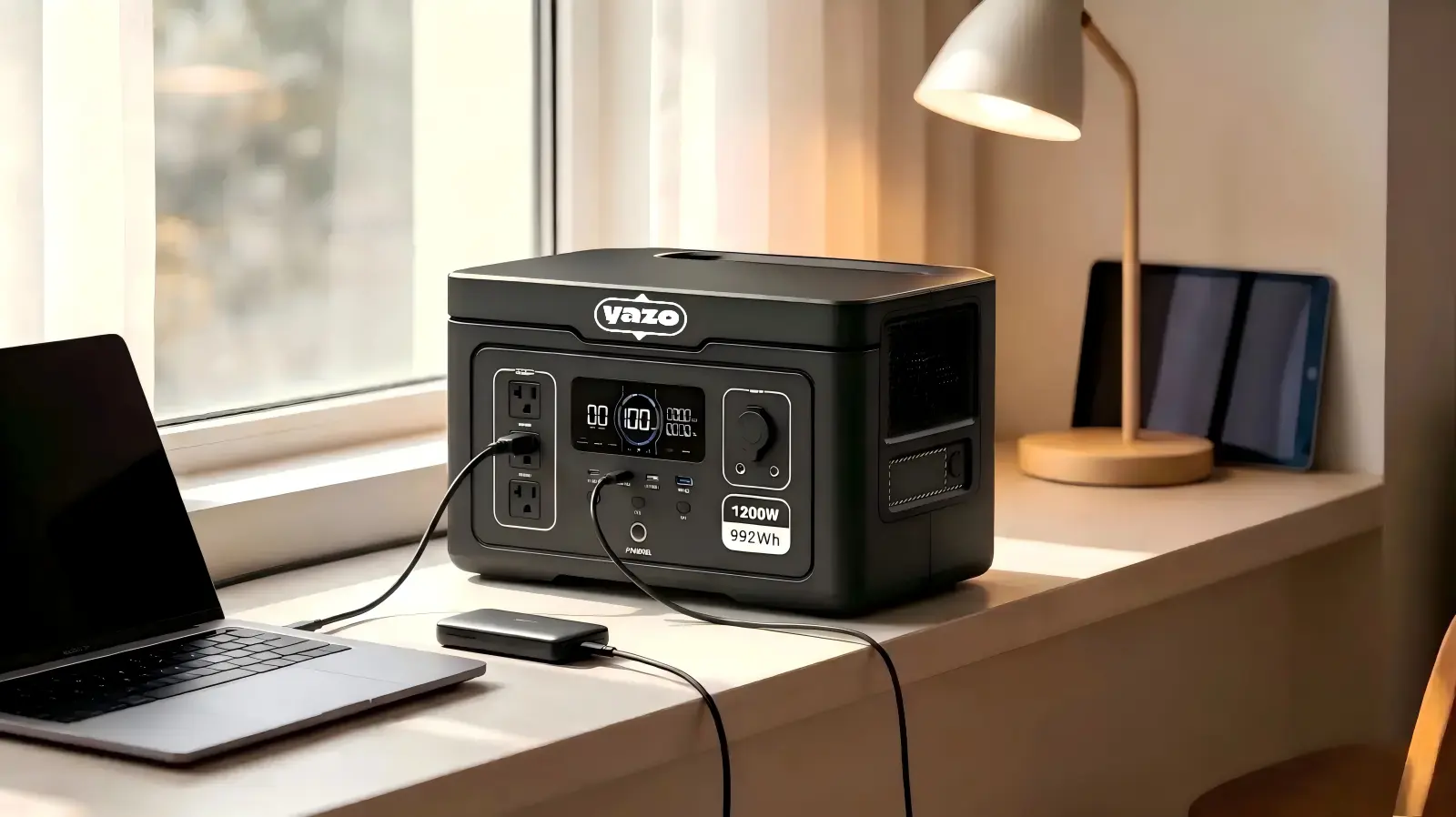
Build the System Around Four Connected Decisions
A practical office backup system balances the critical load, main power station, compatible expansion battery and available recharge method.
Critical Office Equipment
Routers, selected workstations, laptops and communication equipment.
Portable Power Station
Match continuous output to the simultaneous connected load.
Expansion Battery
Add model-compatible stored energy where runtime is the main constraint.
Grid or Compatible Solar
Plan recharge according to the selected model and outage scenario.
How to Size Office Backup Power
List Critical Devices
Identify the equipment that must stay powered and record rated power where available.
Calculate Simultaneous Load
Add the running power of devices that may operate at the same time.
Check Peak Demand
Review startup or short-duration peak demand where it applies to the connected equipment.
Define Required Runtime
Set the minimum operating time needed before grid recovery or recharge.
Estimate Energy Capacity
Select sufficient watt-hour capacity for the target load and operating period.
Check Expansion & Recharge
Use compatible battery expansion when output is sufficient but more stored energy is required.
Output Power
Determines whether the system can run the connected equipment.
Stored Energy
Determines how much energy is available before recharge is required.
Practical Operating Time
Depends on actual load, conversion losses and operating conditions.
Portable Power Stations for Different Office Backup Levels
Select the product class from actual load and reserve requirements. Detailed model compatibility and market configuration should be confirmed before ordering.

Y2 - Small Office Backup
Suitable for multi-device office backup where additional stored energy may also be required.
Explore Portable Power Stations →
Y3 - Higher-Load Office Backup
Suitable where more simultaneous AC load or greater stored energy is required.
Review Power Station Options →Y5 - Longer Runtime Planning
Provides a larger stored-energy platform for applications where backup duration is a primary requirement.
Compare High-Capacity Models →
R3 - Temporary & Project Offices
For temporary or more demanding office environments where portable industrial power is required.
See Industrial Power Options →Add Compatible Battery Capacity When Runtime Is the Constraint
If the selected power station already provides sufficient output, a matching expansion battery may be more appropriate than moving to a much higher-output unit.

Y2 + Y2-BAT
Y2 base unit: 2048Wh. Y2-BAT: 2048Wh LiFePO4 expansion battery.

Y5 + Y5-BAT
Y5 base unit: 5040Wh. Y5-BAT: 5040Wh LiFePO4 expansion battery.
Expansion batteries are product-specific. Confirm the correct base unit, matching battery and supported connection before ordering.
Plan Recharge Around the Outage Scenario
Grid charging is suitable for normal office preparation and recovery after an outage. Compatible solar charging can be considered for extended outages or locations where grid access may be limited.
- Confirm the selected model's charging input requirements.
- Check solar voltage, current, connector and input limits before selecting panels.
- Reduce nonessential loads when extending backup time matters more than maximum simultaneous usage.

Confirm the Destination Electrical Configuration Before Ordering
Destination Market
State the country or region where the office backup units will be deployed.
Voltage & Frequency
Confirm the required electrical standard and the equipment that will be connected.
Socket Configuration
Verify the required AC outlet format and final product version before bulk production.
Avoid Common Office Backup Procurement Errors
Battery Capacity Only
Large Wh capacity does not guarantee enough AC output for the simultaneous load.
Output Power Only
A high-output model can still provide insufficient runtime if stored energy is too low.
Assuming UPS Behavior
Do not assume every portable power station functions as an online UPS. State EPS or transfer requirements explicitly.
Wrong Market Version
Voltage, frequency and socket configuration must match the destination market.
Battery Mismatch
Use only a compatible expansion battery from the correct product family.
Incomplete Load List
Provide device ratings and simultaneous-use information for a more accurate recommendation.
Office Backup Power for Bulk and Multi-Site Deployment
Corporate Procurement
Standardize products by office load class, required runtime, quantity and destination electrical configuration.
Distributors
Build a product mix around compact backup, higher-load units and expandable configurations for the target market.
OEM / Private Label
Review model mix, market-specific electrical configuration, branding, packaging and project requirements.
Office Backup Power Questions
List the equipment that must stay powered, add the running power of devices that may operate at the same time, then define the required runtime. Peak demand, recharge conditions and expansion options should also be checked.
Watts describe power output and indicate whether the system can support the connected equipment. Watt-hours describe stored energy and influence how long the equipment can operate.
It can when the combined power requirement remains within the selected unit's supported output. Runtime depends on stored energy and actual device consumption.
If the main unit already provides sufficient output, a compatible expansion battery may increase available stored energy and extend practical runtime.
Portable power stations should not automatically be treated as online UPS systems. If EPS operation, automatic transfer or uninterrupted switching is required, include that requirement so the relevant model behavior can be confirmed.
Confirm the destination country, AC voltage, frequency, socket configuration and the electrical requirements of the equipment that will be connected.
Provide the device list, estimated simultaneous load, required backup duration, quantity, destination country, voltage and frequency, socket requirement, and any battery expansion, branding or packaging requirements.
Get an Office & Small Business Backup Power Recommendation
Send your office equipment list, backup runtime target and electrical requirements. We can review the application and match the appropriate power-station direction for your market and purchasing program.